Why use Deeto in Salesforce
Connecting Deeto to your CRM is the first step to creating a built-in process that integrates into your sales cycle seamlessly. Your sales team is likely busy, and our goal is to make the introduction of references into their workflow as seamless as possible. This integration bridges this new asset into your team’s existing environment to ensure that it is accessible at all times.The end-to-end process
When a prospect asks for a reference — or when you decide proactively to offer one — here is the full flow from start to finish:- AE is either asked for a reference by the prospect, or proactively suggests a reference call
- AE follows the steps below to connect the prospect with references through Salesforce
- Deeto sends the prospect a personalized page with the selected references and their content
- The prospect views the page and selects which reference(s) they want to connect with
- The prospect suggests time slots for the reference call
- The selected references receive an email request with the suggested time slots
- Each reference selects a time — or suggests new slots if none work
- If new slots are suggested, the process repeats until both parties agree
- Calendar invites are sent automatically to both prospect and reference
- A reminder is sent to both parties before the call
- After the call, the sales rep receives call details including notes from the reference and prospect via email notification
Inviting a reference into your program
To add a new customer as a reference from Salesforce:Contact view → Deeto tab → Review → Continue → Review email template → Continue → Send
- Navigate to the Contact record in Salesforce (create a contact first if one does not exist)
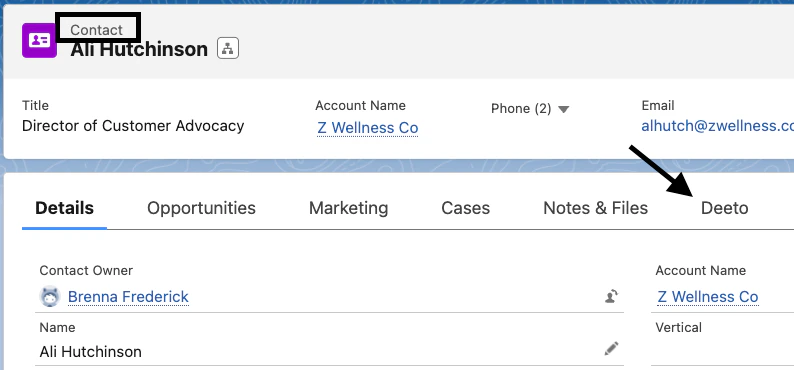
- Go to the Deeto tab
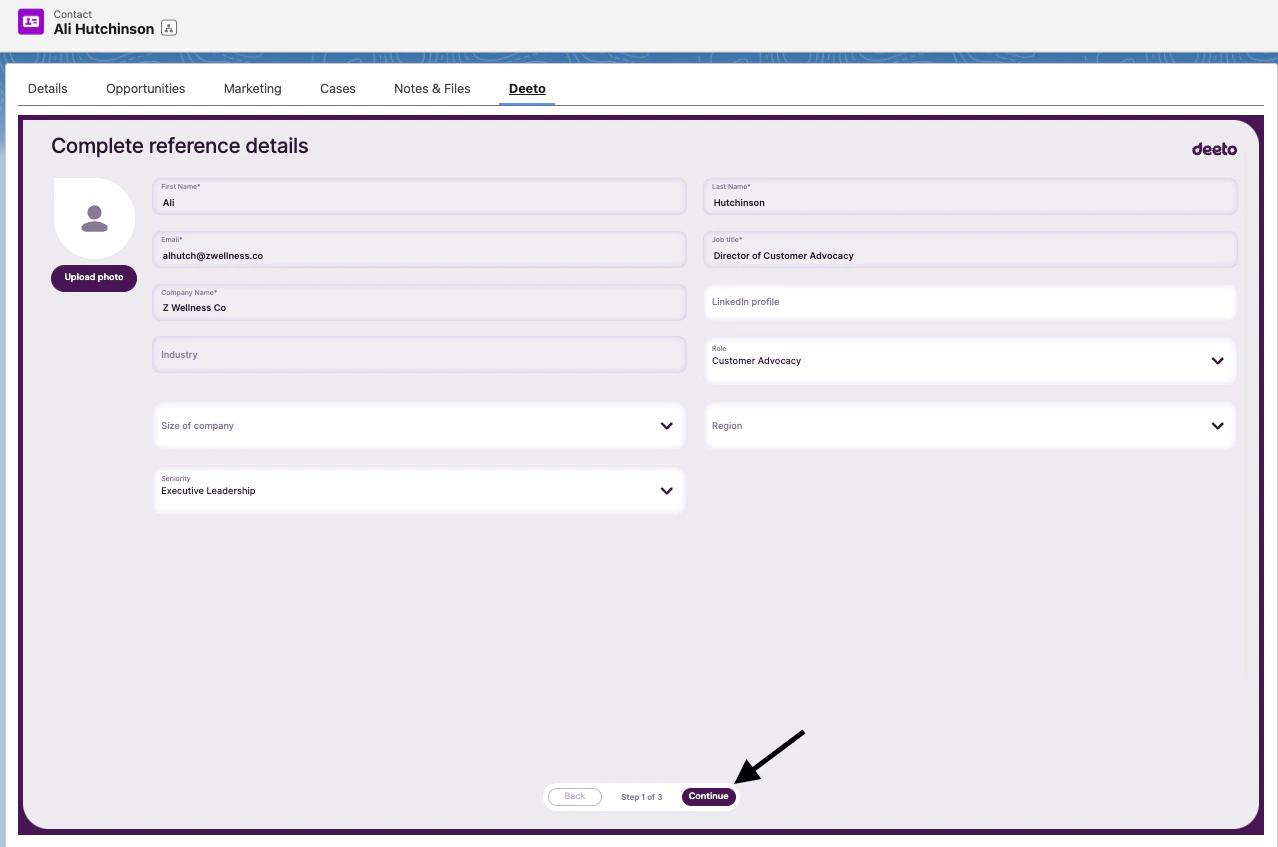
- Click Review and complete the reference details form
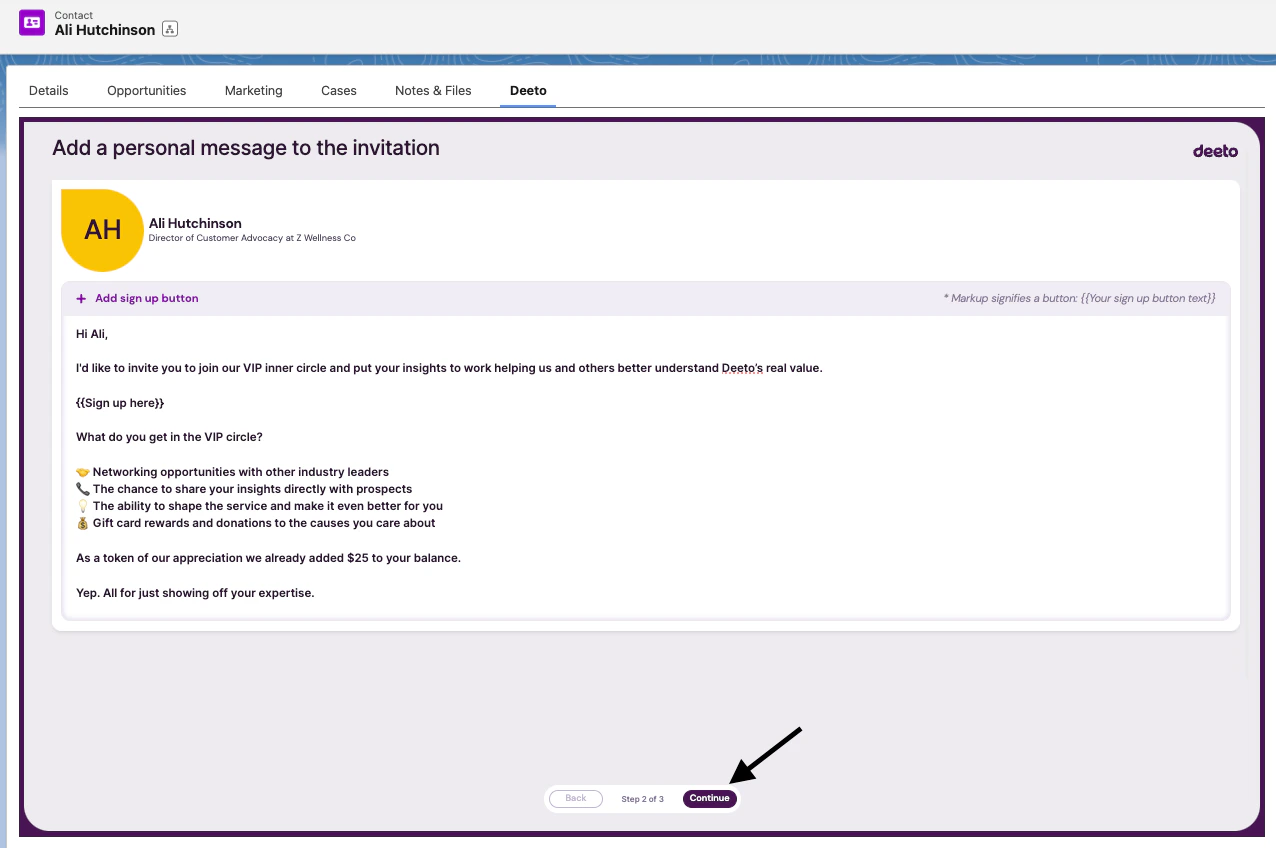
- Click Continue, add a personal message to the invitation
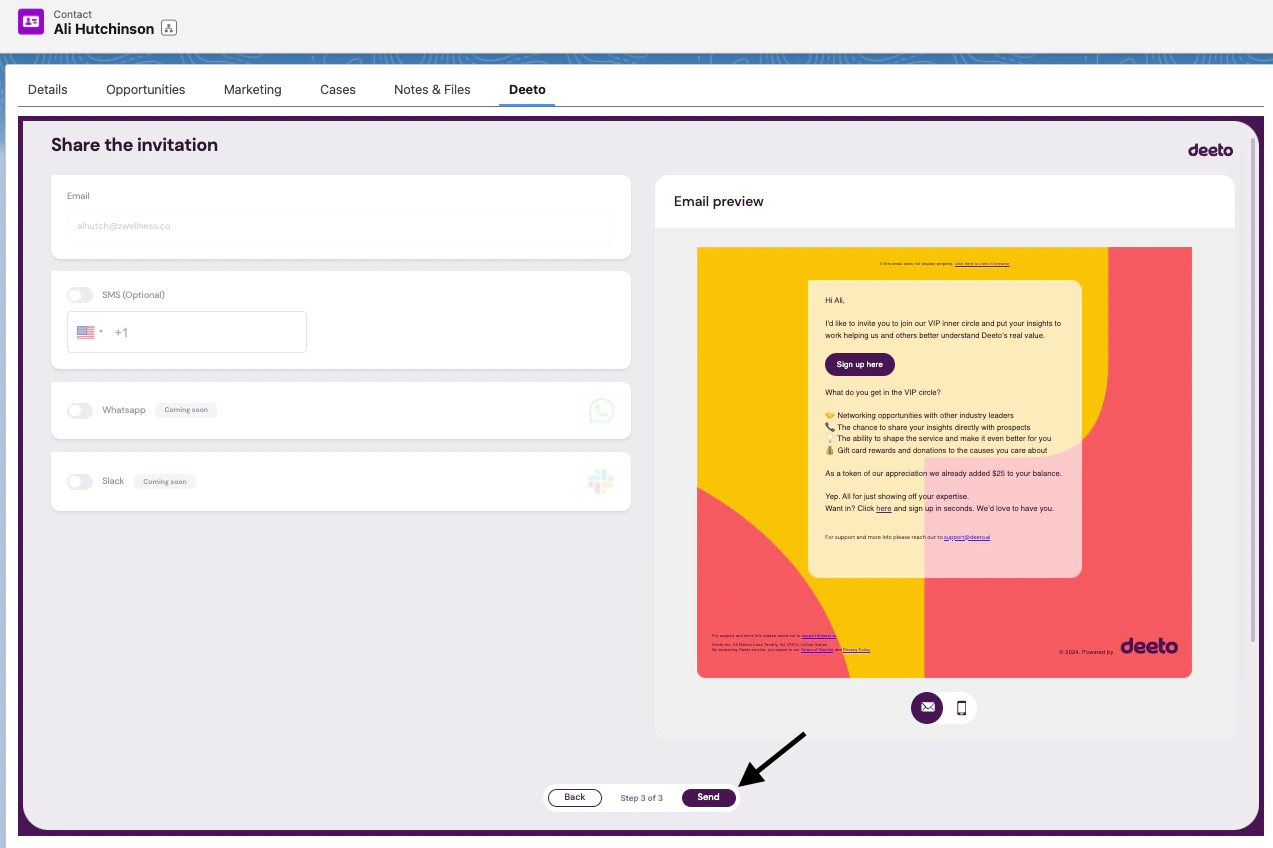
- Click Continue, review the editable email template, then click Send
Inviting a prospect to connect with references
To connect a prospect with references from a deal:Opportunity tab → Deeto tab → Invite Prospect → Select desired matches → Add a personalized note per reference → Confirm shared assets → Continue → Personalize email template → Send email
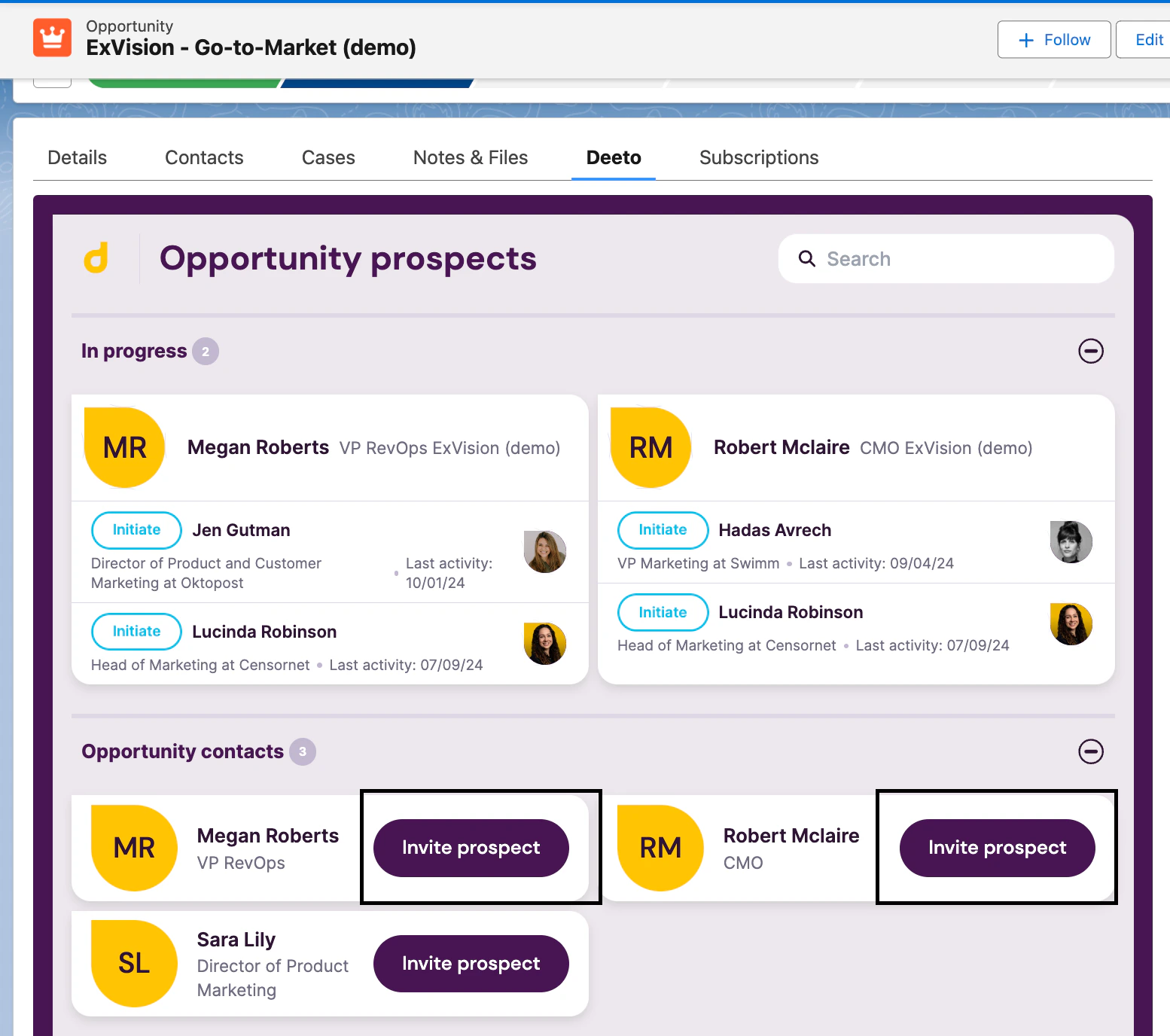
- Navigate to the Opportunity tab for the prospect in Salesforce (create a contact within the opportunity if one does not exist)
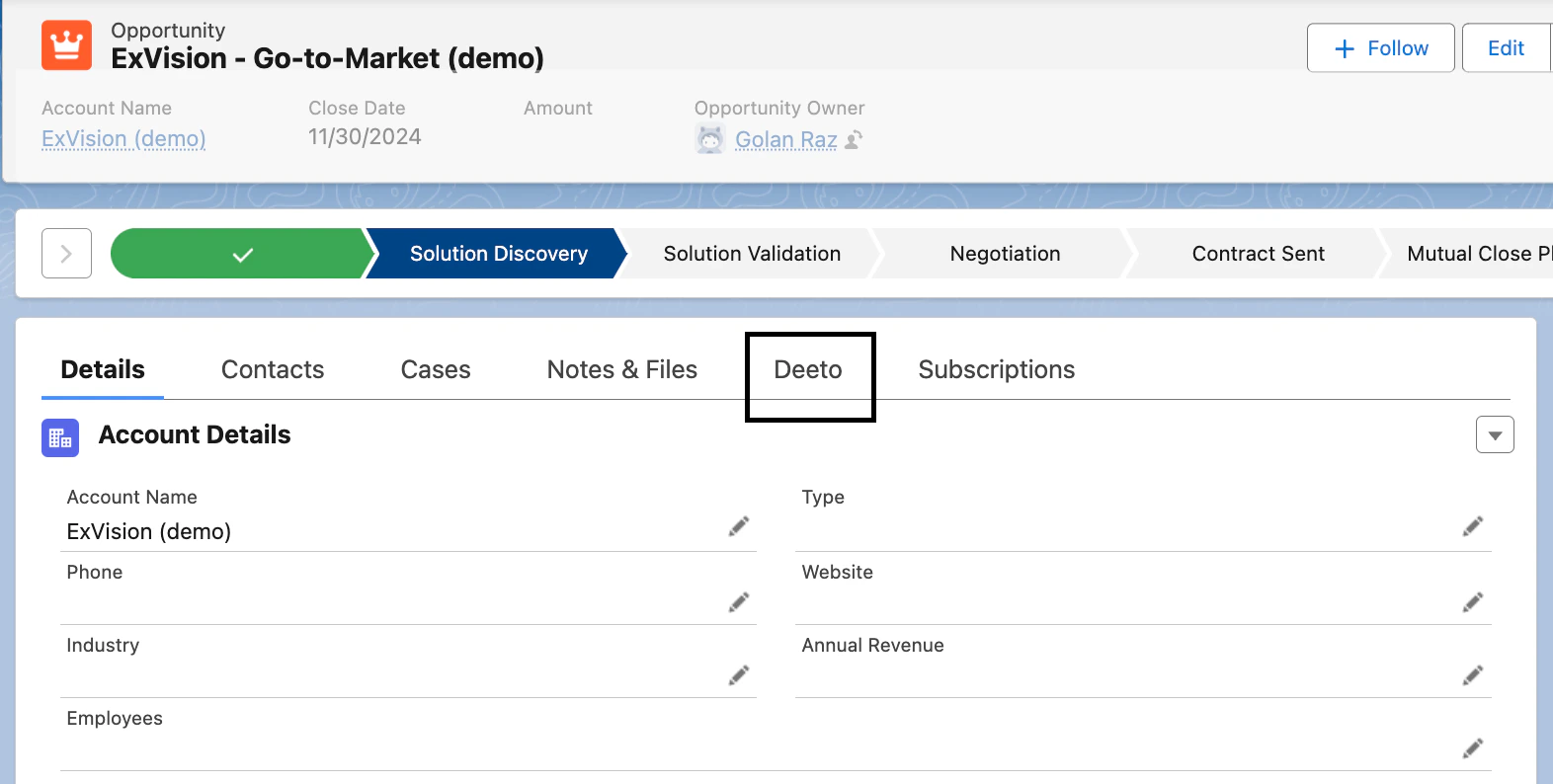
- Go to the Deeto tab and click Invite Prospect
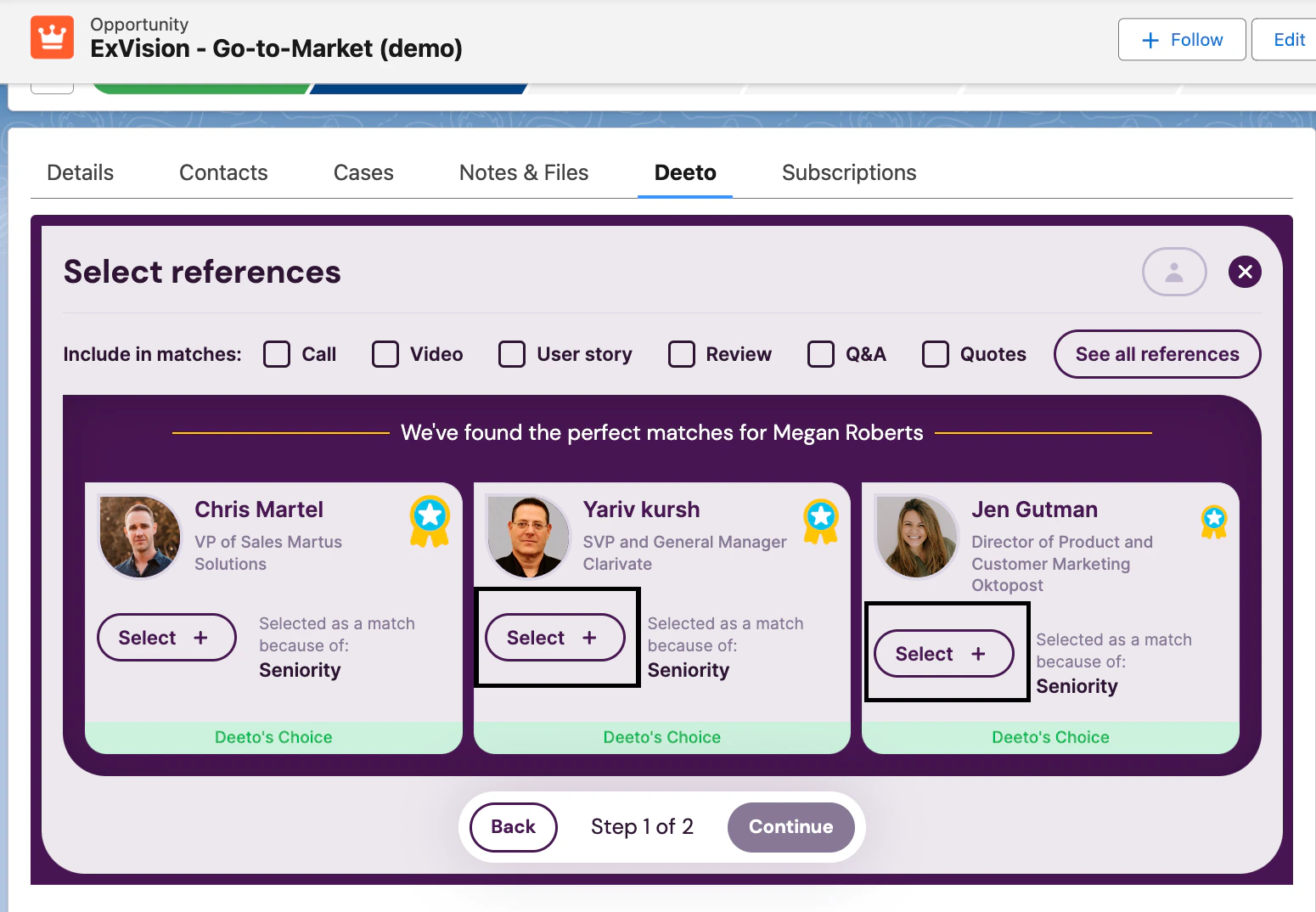
- Select references from the matches Deeto surfaces
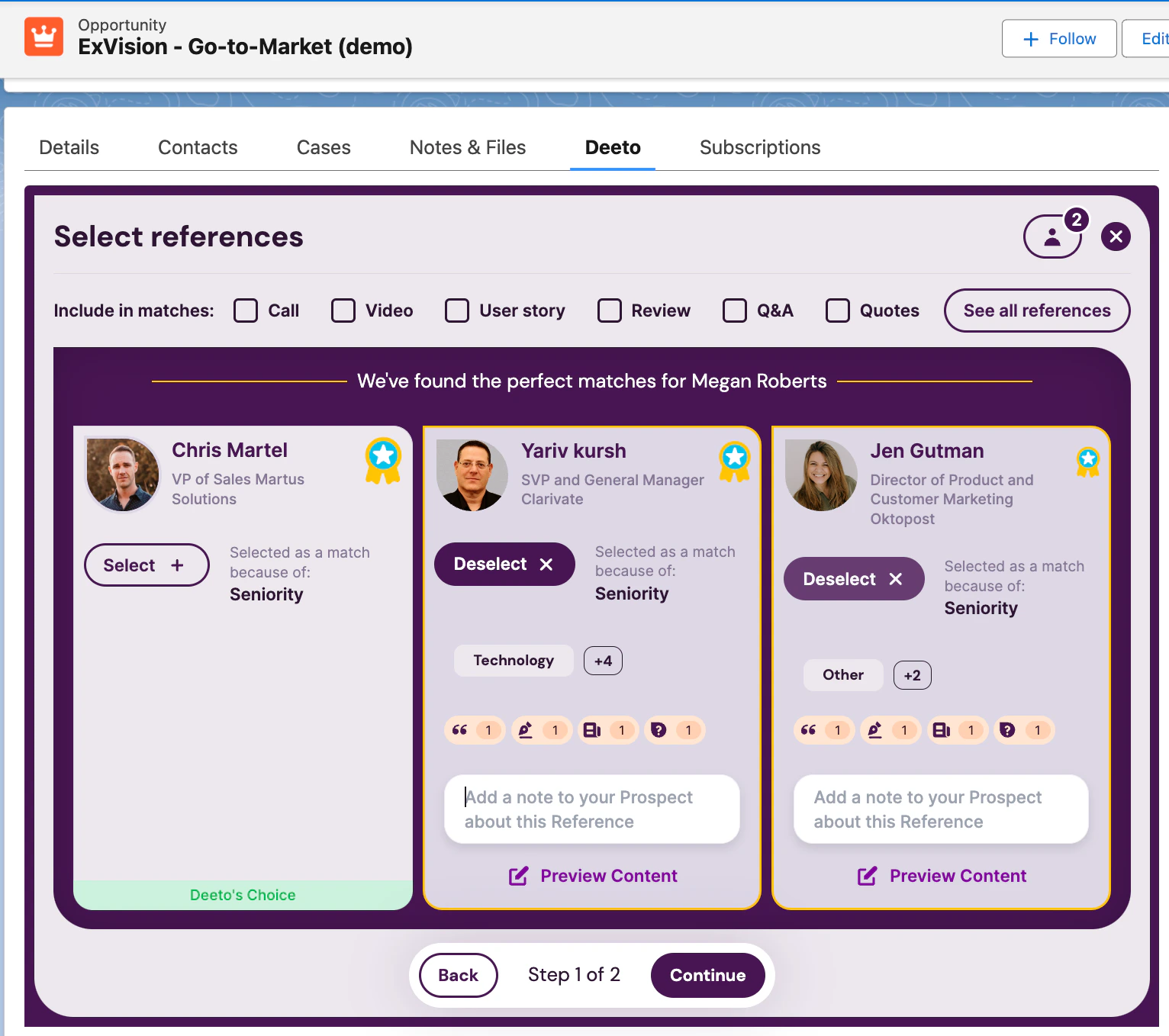
- Add a personalized note per reference
- Click Continue and select the content assets to share with the prospect
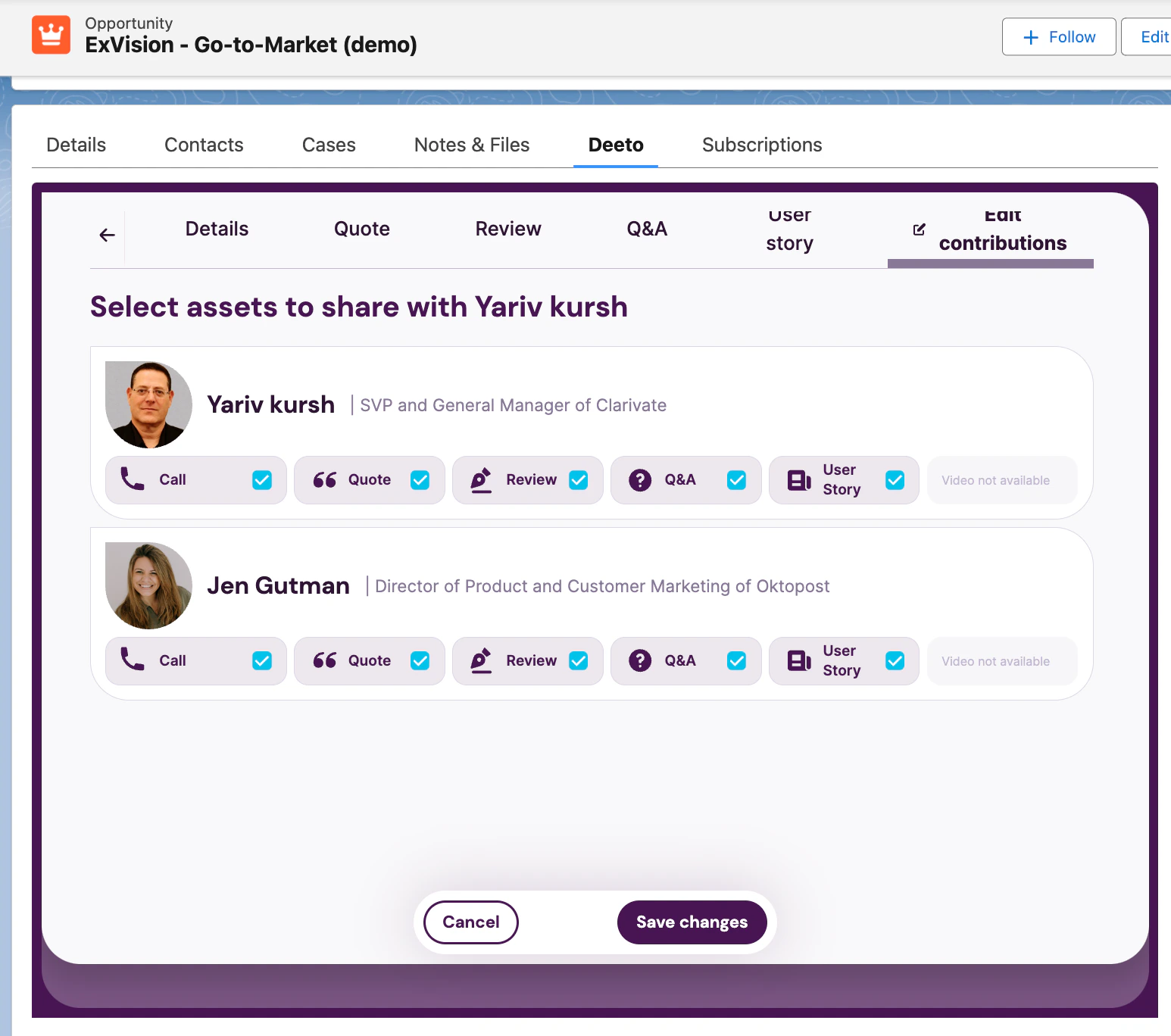
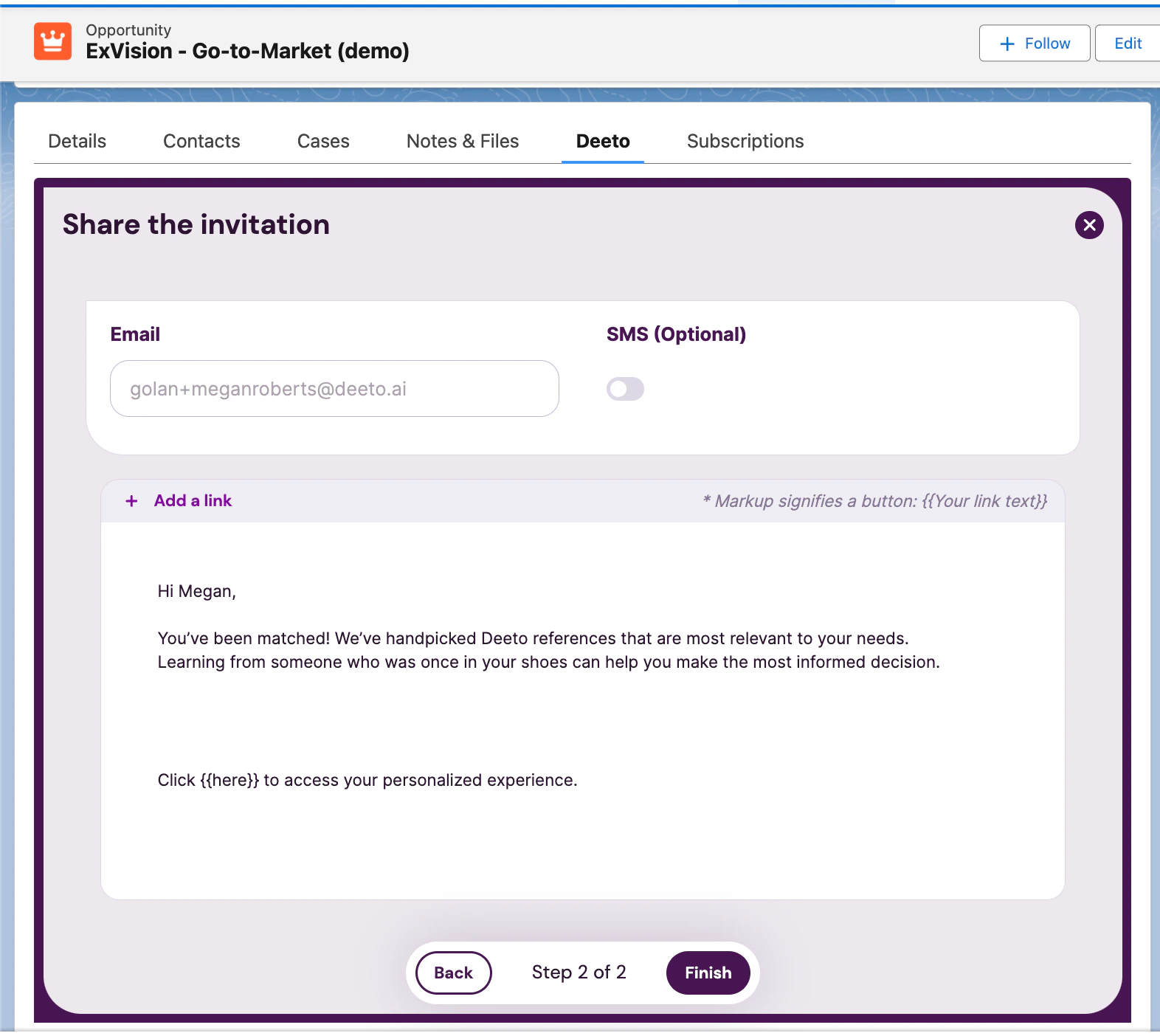
- Customize the email template for the prospect’s context, then click Finish
Best practices
For prospects
Be proactive — lead with authenticity by proactively sharing relevant content ahead of the initial call. Define the reference call stage within your sales process. Creating a process is key to success. Adding Deeto as a set stage within your sales cycle will help ensure maximum value. Our top customers have a Deeto step in their sales process for triggering reference calls. Let NPS scores guide timing — use NPS scores to determine customer satisfaction levels prior to inviting them to Deeto. A score of 8 or above is ideal.For references
Invite at the right moment — the best time to invite a reference is 60 days after onboarding (pending that onboarding went smoothly), during a QBR, or right after they choose to renew their contract. Lead with their gain — make sure to communicate what’s in it for them, whether that is monetary rewards, networking opportunities, or early access to new features. Consider adding a perk to the renewal process if they become a reference.Tracking the process
After sending an invitation, track progress directly in Deeto dashboards and notifications. You will receive notifications when:- A prospect views their reference page
- A reference accepts or declines a call request
- A call is scheduled
- Post-call notes from the reference and prospect are available